What is GraphQL?
GraphQL is a query language for APIs. Instead of hitting different URL endpoints for different data, you send a single request to one endpoint describing exactly what you want back.
LeetCode’s API lives at one URL: https://leetcode.com/graphql
Everything — stats, recent submissions, problem lists — comes from that single endpoint.
HTTP vs GraphQL
With a standard HTTP REST API (like what you might have used with Axios), the server decides what data comes back:
GET /users/AdumbRock          → returns the whole user object
GET /users/AdumbRock/solved   → returns solved problems
GET /users/AdumbRock/recent   → returns recent submissions
You have no control over the shape of the response. If the server sends 30 fields, you get 30 fields whether you need them or not.
With GraphQL, you write the query and the server returns only what you asked for:
query {
	matchedUser(username: "AdumbRock") {
		username
		submitStats {
			acSubmissionNum {
				difficulty
				count
			}
		}
	}
}
The response will only contain username, difficulty, and count. Nothing more.
How It’s Sent
Under the hood, a GraphQL request is still just an HTTP POST request. The difference is what’s in the body:
# Standard REST with requests
response = requests.get("https://api.example.com/users/AdumbRock")

# GraphQL with requests — still HTTP POST, query goes in the body
response = requests.post(
    "https://leetcode.com/graphql",
    json={"query": "...", "variables": {"username": "AdumbRock"}},
    headers={"Content-Type": "application/json"},
)
The json= body has two keys:
query— the GraphQL query stringvariables— values to inject into the query (like username)
The response is always JSON with a data key at the top level:
{
  "data": {
    "matchedUser": {
      "username": "AdumbRock",
      "submitStats": { ... }
    }
  }
}
Advantages of GraphQL over REST
1. You get exactly what you ask for REST returns whatever the server decided to include. GraphQL returns only the fields you listed in your query. Less data transferred, no wasted parsing.
2. One endpoint instead of many A REST API might have /users, /users/:id/submissions, /users/:id/stats, etc. GraphQL has one URL. You change what you fetch by changing the query, not the URL.
3. Strongly typed schema The API publishes a schema that describes every available field and its type. You know upfront what you can query — no guessing or reading docs to find out if a field exists.
4. Fetch related data in one request With REST you often need multiple requests to build a full picture (fetch user, then fetch their submissions, then fetch each problem’s details). With GraphQL you can nest all of that into a single query.
Tradeoff worth knowing: GraphQL adds complexity on the server side to build and maintain the schema. For simple or public APIs, REST is often still the right choice. LeetCode happens to expose GraphQL publicly, which is why we use it here.
Why __init__.py in the leetcode/ folder?
This is a common Python pattern. When you create a folder with an __init__.py inside it, Python treats that folder as a package. The __init__.py file is what runs when you import the package.
services/
└── leetcode/
    └── __init__.py   ← this IS the leetcode module
So when main.py does:
from services.leetcode import get_stats, get_recent_solvedPython runs services/leetcode/__init__.py and pulls those functions from it.
It’s a clean way to keep a service’s logic self-contained. If the LeetCode service grows, you can split it into multiple files inside the leetcode/ folder and re-export them from __init__.py. The import in main.py never has to change.
How to Check your Browser for the right graphql query
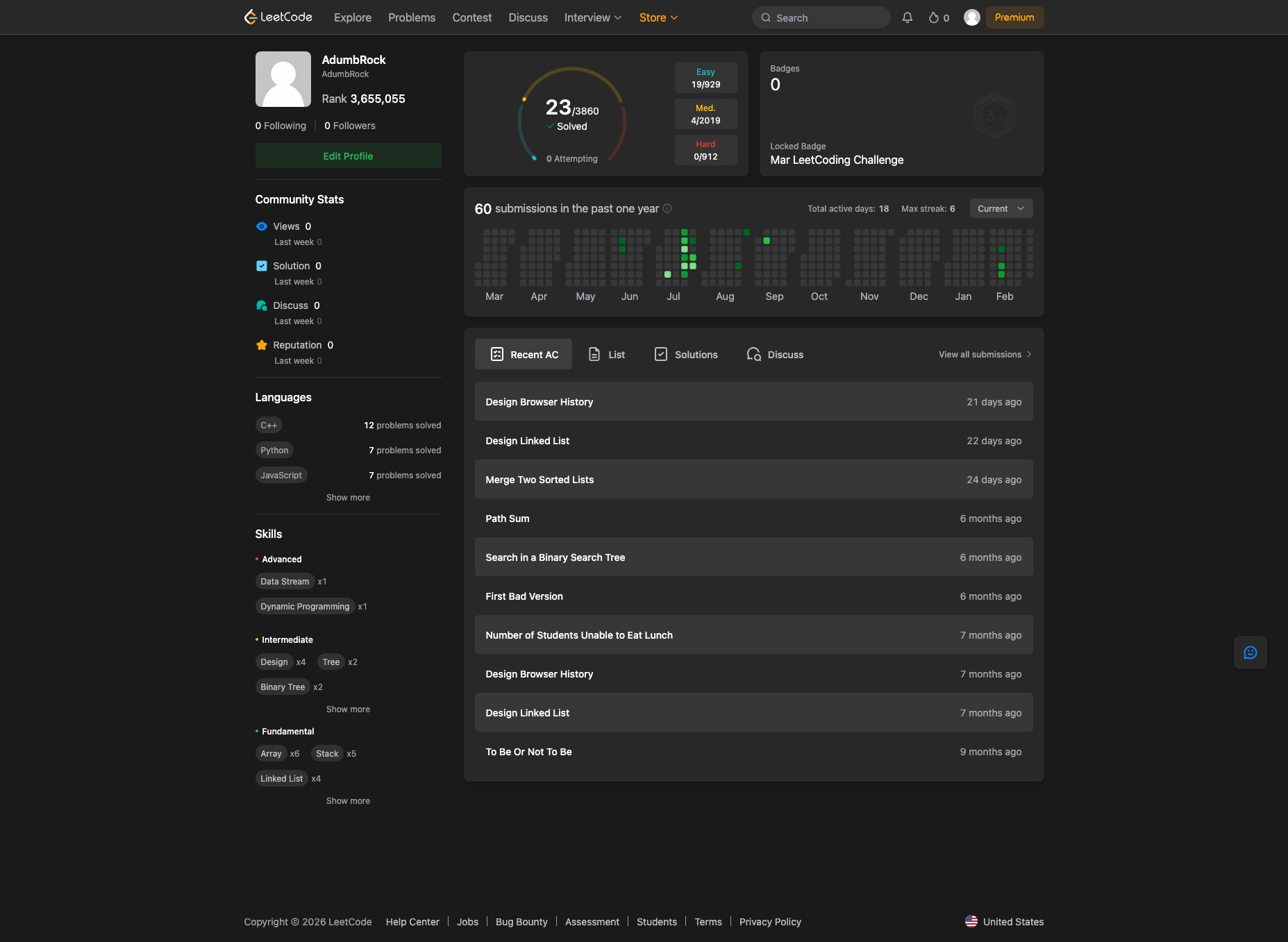
- Open your leetcode profile
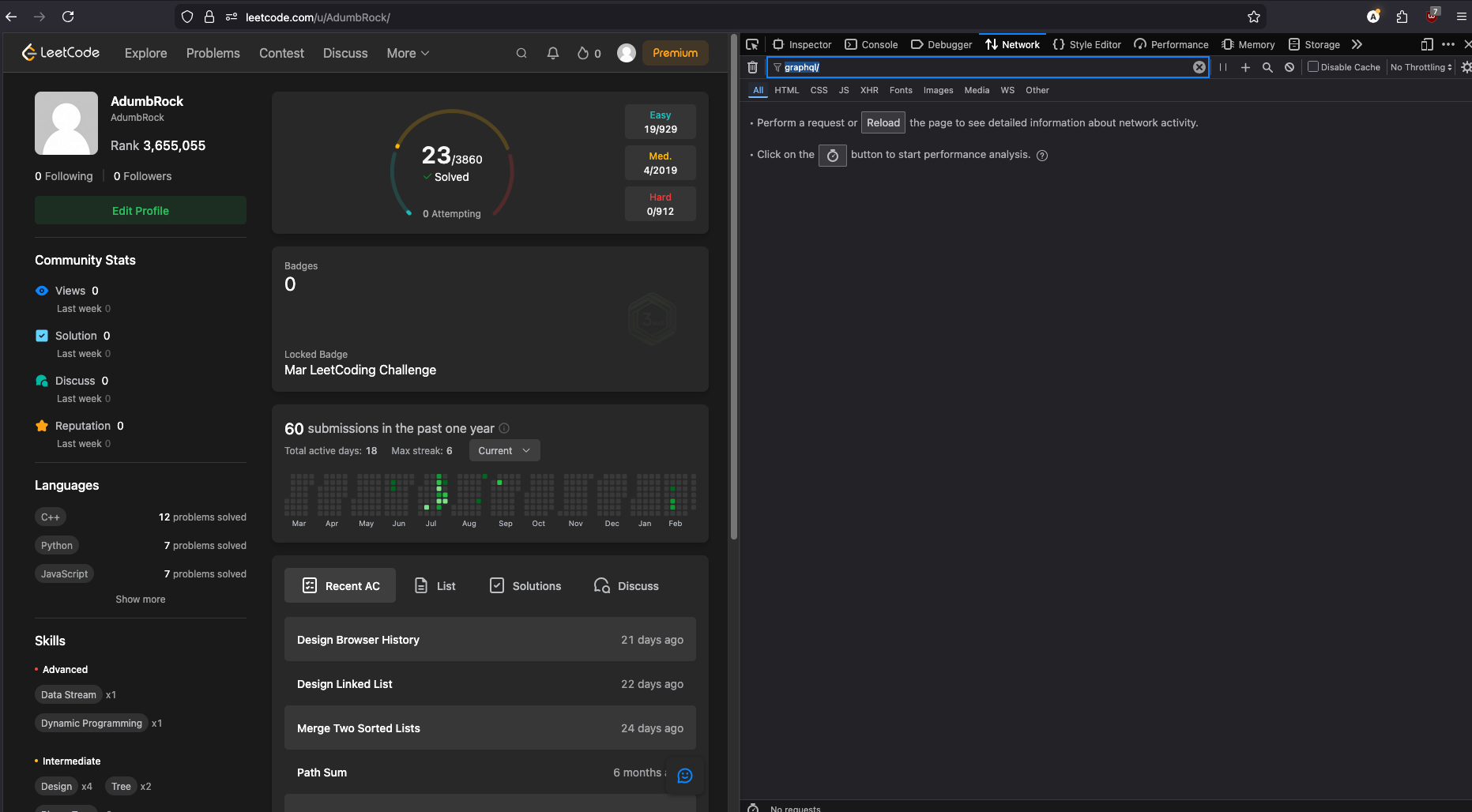
- Open the network tab in your dev tools and type graphql in the filter URL input field
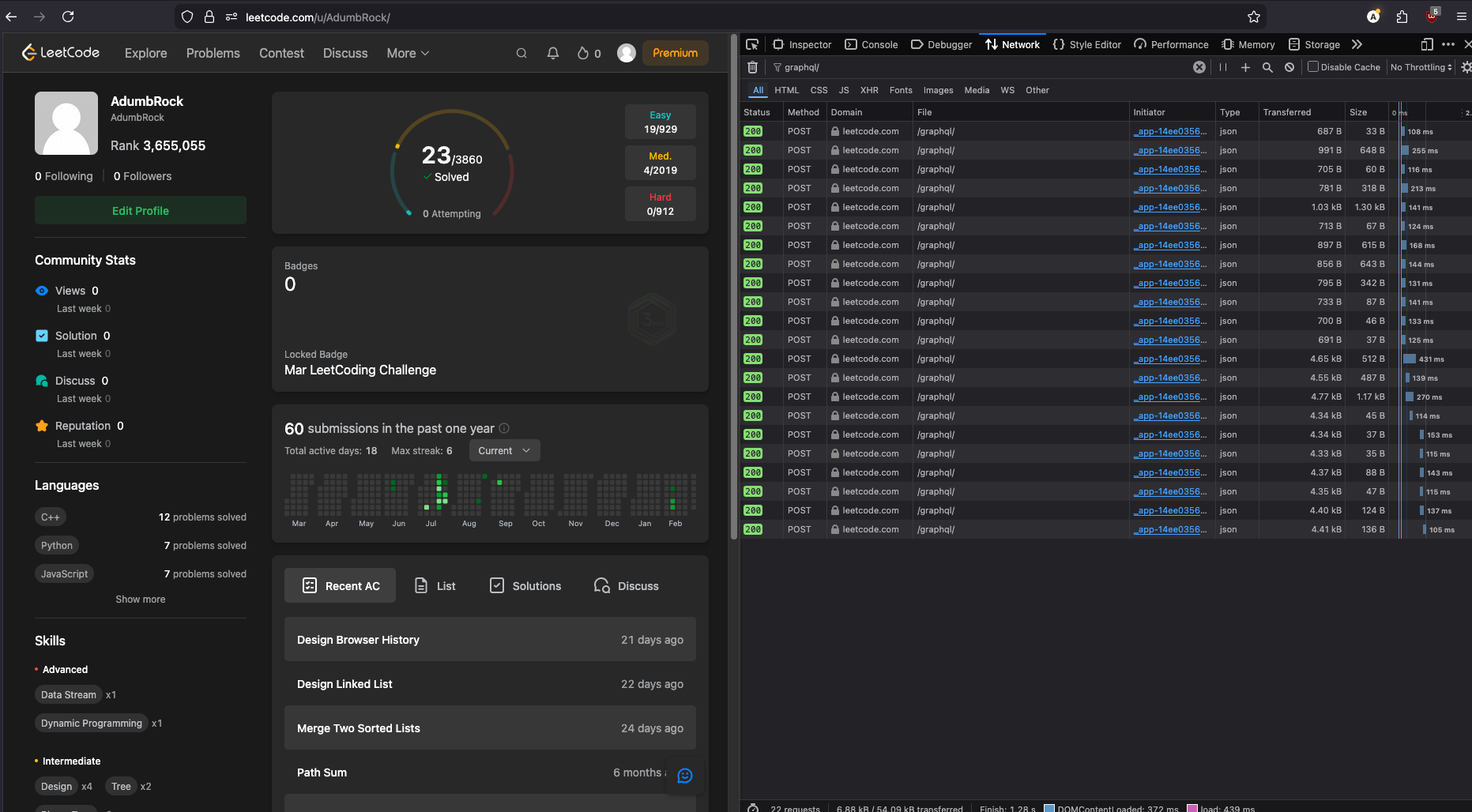
- Refresh the page
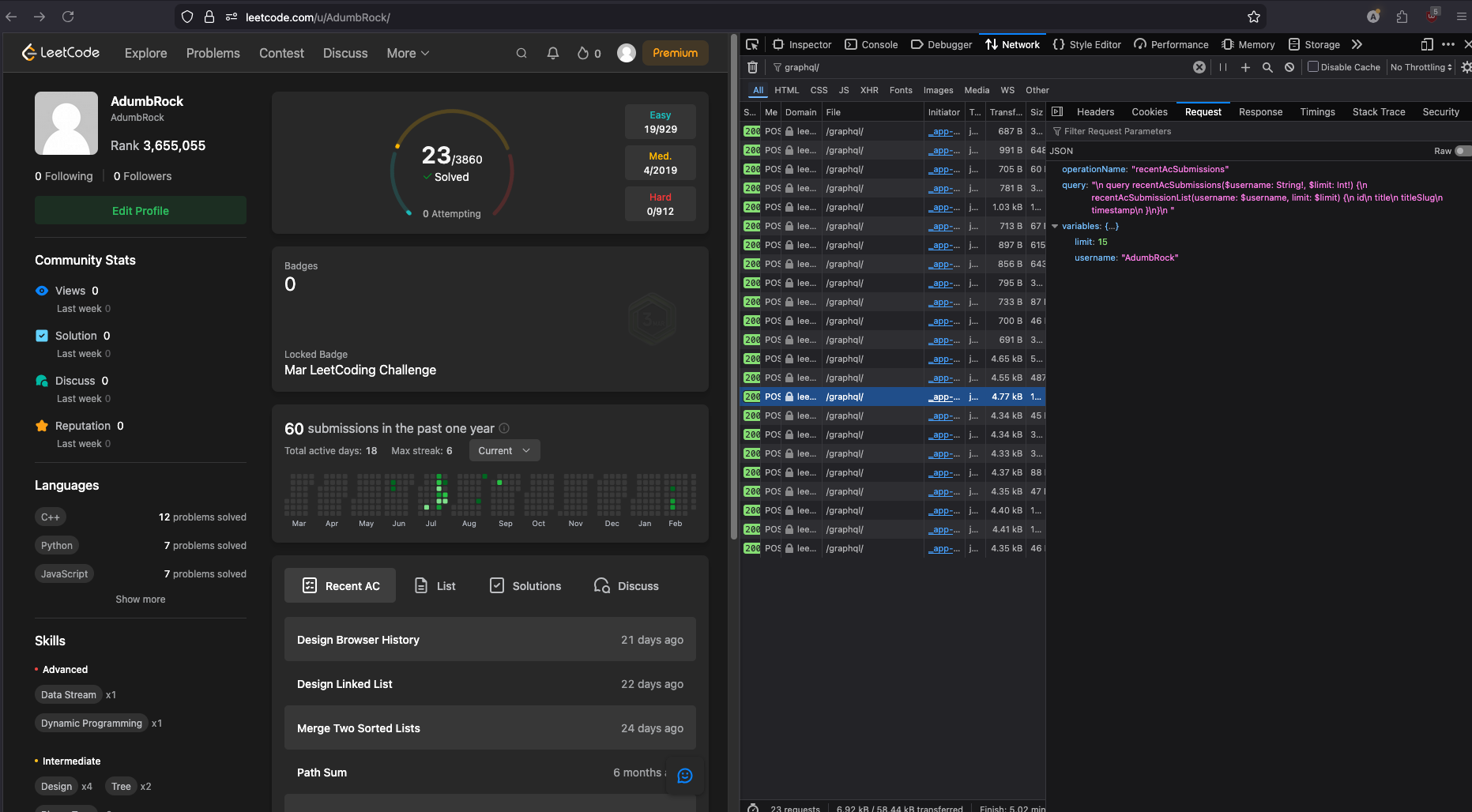
- Look at the Request to get the query and variables
From DevTools to Code: get_recent_solved
Here’s exactly how the query found in DevTools became working Python code.
What DevTools showed:
query recentAcSubmissions($username: String!, $limit: Int!) {
	recentAcSubmissionList(username: $username, limit: $limit) {
		id
		title
		titleSlug
		timestamp
	}
}
Step 1 — Store the query as a string constant
The query is just text. In Python we store it in a variable so it can be reused:
RECENT_QUERY = """
query recentAcSubmissions($username: String!, $limit: Int!) {
  recentAcSubmissionList(username: $username, limit: $limit) {
    id
    title
    titleSlug
    timestamp
  }
}
"""
Step 2 — Supply the variables
The query declared two placeholders: $username and $limit. These get passed separately in the request body under a variables key:
json={
    "query": RECENT_QUERY,
    "variables": {"username": username, "limit": limit}
}
LeetCode’s server swaps $username and $limit for those values before running the query.
Step 3 — Unwrap the response
The response always comes back wrapped in { "data": { ... } }. We drill into it to get the actual list:
response.json().get("data", {}).get("recentAcSubmissionList", [])recentAcSubmissionList matches the field name in the query exactly — that’s how GraphQL maps the response back to what you asked for.
Knowledge Check
What is the main difference between REST and GraphQL?
With REST, the server defines the shape of the response. With GraphQL, the client writes a query that defines exactly which fields it wants back, so no extra data is returned.
Is GraphQL a different transport protocol from HTTP?
No. GraphQL still uses HTTP under the hood — typically a POST request. The difference is in the request body: it contains a query string and variables rather than just a URL path.
Why does the GraphQL response always have a `data` key at the top level?
The GraphQL spec requires all responses to follow the shape { "data": { ... } }. This gives you a consistent structure to unwrap regardless of what you queried. Errors are returned in a separate "errors" key alongside data.
Why are `get_stats` and `get_recent_solved` defined in `__init__.py` instead of a file like `leetcode.py`?
Putting them in services/leetcode/__init__.py makes leetcode a Python package (a folder you can import from). It lets the service grow into multiple files later without changing any import statements in main.py. It’s a common pattern for organizing service modules in Python projects.
If you wanted to fetch a user's LeetCode username and their Easy/Medium/Hard solved counts, write the GraphQL query shape (no need for exact field names, just the structure).
query getUserStats($username: String!) {
	matchedUser(username: $username) {
		username
		submitStats {
			acSubmissionNum {
				difficulty
				count
			}
		}
	}
}
The $username is a variable injected at runtime via the variables key in the request body.
You found the `recentAcSubmissions` query in DevTools. What three things do you need to turn it into a working Python request?
- The query string — copy it exactly and store it as a Python constant.
- The variables — pass
{"username": "...", "limit": 5}in thevariableskey of the POST body alongside the query. - The response key — use
.get("data", {}).get("recentAcSubmissionList", [])to unwrap the response, because the field name in the response always matches the field name you wrote in the query.